Git & GitHub: Version Control Cho Developer
Làm chủ Git và GitHub - Công cụ quản lý mã nguồn không thể thiếu trong lập trình
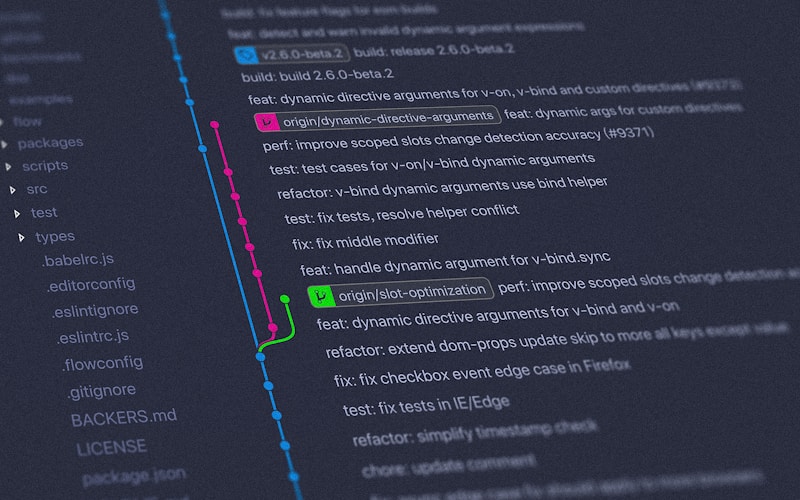
Git & GitHub: Version Control Cho Developer
Git là hệ thống quản lý phiên bản phân tán, và GitHub là nền tảng lưu trữ code phổ biến nhất. Cùng tìm hiểu tại sao mọi lập trình viên đều cần biết Git!
Version Control Là Gì?
Chú thích: Version Control (Quản lý phiên bản) giúp theo dõi thay đổi của code theo thời gian!
Vấn Đề Khi Không Dùng Version Control
❌ Tình huống quen thuộc:
- project_v1.py
- project_v2.py
- project_v2_final.py
- project_v2_final_FINAL.py
- project_v2_final_FINAL_thật.py

😱 Bạn muốn quay lại phiên bản nào?
😱 Ai sửa cái này? Khi nào?
😱 Làm việc nhóm thế nào?
Với Git:
✅ Lưu lịch sử mọi thay đổi
✅ Quay lại phiên bản bất kỳ
✅ Làm việc nhóm hiệu quả
✅ Backup tự động
✅ Branching & merging
Cài Đặt Git
Windows
# Download Git for Windows
https://git-scm.com/download/win

# Kiểm tra cài đặt
git --version
# Output: git version 2.42.0
macOS
# Dùng Homebrew
brew install git

# Hoặc download từ
https://git-scm.com/download/mac
Linux
# Ubuntu/Debian
sudo apt update
sudo apt install git

# Fedora
sudo dnf install git
Cấu Hình Lần Đầu
# Thiết lập tên và email
git config --global user.name "Tên Của Bạn"
git config --global user.email "email@example.com"

# Kiểm tra cấu hình
git config --list

# Editor mặc định (tùy chọn)
git config --global core.editor "code --wait"  # VS Code

Git Cơ Bản
1. Khởi Tạo Repository
Chú thích: Repository (repo) là nơi Git lưu trữ lịch sử của project.
# Tạo thư mục project
mkdir my-project
cd my-project

# Khởi tạo Git repo
git init
# Output: Initialized empty Git repository in .../my-project/.git/

# Kiểm tra trạng thái
git status
# Output: On branch main
#         No commits yet
#         nothing to commit
2. Ba Vùng Của Git
Working Directory (Thư mục làm việc)
    ↓ git add
Staging Area (Vùng chờ)
    ↓ git commit
Repository (Kho lưu trữ)
3. Add & Commit
# Tạo file mới
echo "# My Project" > README.md

# Xem trạng thái
git status
# Output: Untracked files:
#         README.md

# Thêm file vào staging area
git add README.md

# Hoặc thêm tất cả files
git add .

# Commit (lưu vào repo)
git commit -m "Initial commit: Add README"
# Output: [main (root-commit) a1b2c3d] Initial commit: Add README
#         1 file changed, 1 insertion(+)

# Xem lịch sử commit
git log
# Hoặc dạng ngắn gọn
git log --oneline
4. Git Workflow Cơ Bản
# 1. Sửa file
echo "## Introduction" >> README.md

# 2. Kiểm tra thay đổi
git status
git diff  # Xem chi tiết thay đổi

# 3. Add và commit
git add README.md
git commit -m "Add introduction section"

# Shortcut: add + commit cùng lúc (chỉ với tracked files)
git commit -am "Update README"

Branching - Nhánh
Chú thích: Branch cho phép phát triển tính năng mới mà không ảnh hưởng code chính!
Tại Sao Dùng Branch?
main branch (nhánh chính)
    ↓ tạo branch
feature/new-feature (nhánh phát triển)
    → code tính năng mới
    → test
    ↓ merge
main branch (có tính năng mới)
Branch Commands
# Xem các branch
git branch
# Output: * main  (dấu * là branch hiện tại)

# Tạo branch mới
git branch feature/login

# Chuyển sang branch đó
git checkout feature/login
# Output: Switched to branch 'feature/login'

# Hoặc tạo + chuyển cùng lúc
git checkout -b feature/signup

# Git 2.23+: dùng switch (rõ ràng hơn)
git switch main
git switch -c feature/profile

# Xem tất cả branches (kể cả remote)
git branch -a
Merge Branches
# 1. Develop trên feature branch
git switch feature/login
echo "Login page" > login.html
git add login.html
git commit -m "Add login page"

# 2. Chuyển về main
git switch main

# 3. Merge feature vào main
git merge feature/login
# Output: Updating a1b2c3d..e4f5g6h
#         Fast-forward
#         login.html | 1 +
#         1 file changed, 1 insertion(+)

# 4. Xóa branch đã merge (tùy chọn)
git branch -d feature/login
Xử Lý Conflict
# Conflict xảy ra khi 2 branches sửa cùng 1 chỗ

# Ví dụ:
# main branch: "Hello World"
# feature branch: "Hello Git"

git merge feature/conflict
# Output: Auto-merging file.txt
#         CONFLICT (content): Merge conflict in file.txt
#         Automatic merge failed; fix conflicts and then commit

# Mở file bị conflict:
<<<<<<< HEAD
Hello World
=======
Hello Git
>>>>>>> feature/conflict

# Sửa thành:
Hello Git World

# Sau đó:
git add file.txt
git commit -m "Resolve merge conflict"
GitHub - Remote Repository
Chú thích: GitHub lưu code trên cloud, cho phép làm việc nhóm và backup!
Tạo GitHub Repository
1. Vào https://github.com
2. Click "New repository"
3. Đặt tên: my-project
4. Public/Private
5. Create repository
Push Code Lên GitHub
# Link local repo với GitHub
git remote add origin https://github.com/username/my-project.git

# Kiểm tra remote
git remote -v
# Output: origin  https://github.com/username/my-project.git (fetch)
#         origin  https://github.com/username/my-project.git (push)

# Push lần đầu
git push -u origin main
# -u: set upstream, lần sau chỉ cần git push

# Push các lần sau
git push

# Push branch khác
git push origin feature/new-feature
Clone Repository
# Clone repo từ GitHub về máy
git clone https://github.com/username/my-project.git

# Clone với tên thư mục khác
git clone https://github.com/username/my-project.git my-folder

# Clone branch cụ thể
git clone -b feature/branch https://github.com/username/my-project.git
Pull & Fetch
# Fetch: tải về nhưng không merge
git fetch origin

# Pull: fetch + merge
git pull origin main

# Hoặc đơn giản
git pull  # nếu đã set upstream

# Pull với rebase (sạch hơn)
git pull --rebase

Làm Việc Nhóm
Fork & Pull Request
1. Fork repo của người khác về GitHub của mình
2. Clone fork về máy
3. Tạo branch mới
4. Code tính năng
5. Push lên fork của mình
6. Tạo Pull Request trên GitHub
7. Owner review và merge
Git Workflow Nhóm
# 1. Clone repo của team
git clone https://github.com/team/project.git
cd project

# 2. Tạo branch cho task
git checkout -b feature/my-task

# 3. Code và commit thường xuyên
git add .
git commit -m "Implement feature X"

# 4. Cập nhật từ main (tránh conflict)
git checkout main
git pull origin main
git checkout feature/my-task
git merge main  # hoặc git rebase main

# 5. Push branch lên GitHub
git push origin feature/my-task

# 6. Tạo Pull Request trên GitHub

# 7. Sau khi merged, update local
git checkout main
git pull origin main
git branch -d feature/my-task  # xóa branch local
Rebase vs Merge
# Merge: giữ nguyên lịch sử
git merge feature/branch
# → Tạo merge commit

# Rebase: viết lại lịch sử (sạch hơn)
git rebase main
# → Di chuyển commits lên trên main

# ⚠️ KHÔNG rebase commits đã push (public)
# ⚠️ Chỉ rebase commits local

# Khi conflict trong rebase:
# 1. Sửa conflict
# 2. git add .
# 3. git rebase --continue
# Hoặc hủy: git rebase --abort
Git Commands Hữu Ích
Xem Lịch Sử
# Log cơ bản
git log

# Log đẹp
git log --oneline --graph --all --decorate

# Log với thống kê
git log --stat

# Log của 1 file
git log -- filename.txt

# Tìm commit theo message
git log --grep="bug fix"

# Xem thay đổi trong commit
git show <commit-hash>
git show HEAD~2  # 2 commits trước
Undo Changes
# Hủy thay đổi chưa add (working directory)
git restore filename.txt
# Hoặc
git checkout -- filename.txt

# Hủy file đã add (staging area)
git restore --staged filename.txt
# Hoặc
git reset HEAD filename.txt

# Hủy commit gần nhất (giữ code)
git reset --soft HEAD~1

# Hủy commit và thay đổi (nguy hiểm!)
git reset --hard HEAD~1

# Tạo commit đảo ngược
git revert <commit-hash>
Stash - Cất Code Tạm
# Lưu thay đổi tạm thời
git stash
# Output: Saved working directory and index state

# Xem danh sách stash
git stash list
# Output: stash@{0}: WIP on main: a1b2c3d message

# Lấy lại thay đổi
git stash pop  # Lấy và xóa
git stash apply  # Lấy nhưng giữ

# Stash với message
git stash save "Work in progress on feature X"

# Xóa stash
git stash drop stash@{0}
git stash clear  # Xóa tất cả
Tags - Đánh Dấu Phiên Bản
# Tạo tag
git tag v1.0.0
git tag -a v1.0.0 -m "Version 1.0.0 release"

# Xem tags
git tag
git tag -l "v1.*"  # Tags bắt đầu v1.

# Push tags
git push origin v1.0.0
git push origin --tags  # Push tất cả tags

# Checkout tag
git checkout v1.0.0

# Xóa tag
git tag -d v1.0.0
git push origin --delete v1.0.0

.gitignore
Chú thích: .gitignore chỉ định files không cần track (node_modules, .env, …)
# Tạo .gitignore
touch .gitignore

# Ví dụ .gitignore cho Python
# Python
__pycache__/
*.py[cod]
*.so
.Python
venv/
env/
*.egg-info/

# IDE
.vscode/
.idea/
*.swp

# OS
.DS_Store
Thumbs.db

# Environment
.env
.env.local

# Logs
*.log

# Database
*.db
*.sqlite

# Build
dist/
build/
*.egg
Ignore File Đã Tracked
# Nếu đã track file trước khi thêm .gitignore
git rm --cached filename.txt
git commit -m "Stop tracking filename.txt"

# Với thư mục
git rm -r --cached folder/
GitHub Features
1. Issues - Quản Lý Task
Issues giống TODO list của project:
- Bug reports
- Feature requests
- Tasks
- Questions

Label: bug, enhancement, documentation...
Assignee: Ai phụ trách?
Milestone: Thuộc release nào?
2. Projects - Kanban Board
GitHub Projects:
- To Do
- In Progress
- Done

Kéo thả issues/PRs giữa các cột
Theo dõi tiến độ team
3. Actions - CI/CD
# .github/workflows/test.yml
name: Run Tests

on: [push, pull_request]

jobs:
  test:
    runs-on: ubuntu-latest
    steps:
      - uses: actions/checkout@v2
      - name: Set up Python
        uses: actions/setup-python@v2
        with:
          python-version: 3.9
      - name: Install dependencies
        run: pip install -r requirements.txt
      - name: Run tests
        run: pytest
4. README.md - Trang Giới Thiệu
# Project Name

Brief description

## Installation

```bash
pip install -r requirements.txt
Usage
import myproject
myproject.run()
Contributing
Pull requests are welcome!
License
MIT

## Best Practices
### Commit Messages
```bash
# ❌ Bad
git commit -m "fix"
git commit -m "update"
git commit -m "aaa"
# ✅ Good
git commit -m "Fix login validation bug"
git commit -m "Add user authentication feature"
git commit -m "Refactor database connection logic"
# Format tốt:
<type>: <subject>
[optional body]
[optional footer]
# Types:
feat: Tính năng mới
fix: Sửa bug
docs: Documentation
style: Formatting
refactor: Refactoring code
test: Tests
chore: Maintenance
Branch Naming
# ❌ Bad
git checkout -b new
git checkout -b fix
git checkout -b branch1

# ✅ Good
git checkout -b feature/user-authentication
git checkout -b bugfix/login-error
git checkout -b hotfix/security-patch
git checkout -b refactor/database-layer

# Format:
<type>/<short-description>
Commit Often
# ✅ Commit nhỏ, thường xuyên
git commit -m "Add user model"
git commit -m "Add user validation"
git commit -m "Add user API endpoint"

# ❌ Commit lớn, hiếm
git commit -m "Complete user feature"  # 500 files changed

Git GUI Tools
Visual Studio Code
Built-in Git:
- Source Control panel (Ctrl+Shift+G)
- Visual diff
- Commit, push, pull
- Branch management

Extensions:
- GitLens: Supercharge Git
- Git Graph: Visual branch graph
GitHub Desktop
GUI application:
- Visual commits
- Easy branch switching
- Sync with GitHub
- Beginner-friendly
Other Tools
GitKraken: Beautiful GUI
SourceTree: Free Atlassian tool
Git Tower: Professional tool (paid)
Liên Hệ Với Lớp 12
# Bài tập lớp 12: Quản lý điểm
# Giờ làm thành project Git!

# Tạo repo
"""
my-grade-calculator/
├── .git/
├── .gitignore
├── README.md
├── calculator.py  # Chương trình chính
├── data/
│   └── grades.txt  # Dữ liệu điểm
└── tests/
    └── test_calculator.py  # Unit tests
"""

# Version history:
# v1.0: Tính điểm TB cơ bản
# v1.1: Thêm xếp loại
# v1.2: Lưu file
# v2.0: GUI với tkinter

# Làm việc nhóm:
# - Bạn A: làm tính điểm (branch feature/calculate)
# - Bạn B: làm GUI (branch feature/gui)
# - Bạn C: làm tests (branch feature/tests)
# Merge vào main → Complete project!
Tài Nguyên Học Tập
Documentation
Official:
- https://git-scm.com/doc
- https://docs.github.com

Interactive:
- https://learngitbranching.js.org/
- https://github.com/skills
Cheat Sheet
# Setup
git config --global user.name "name"
git config --global user.email "email"

# Create
git init
git clone <url>

# Local changes
git status
git diff
git add <file>
git commit -m "message"

# Branches
git branch
git checkout -b <branch>
git merge <branch>

# Remote
git remote add origin <url>
git push origin <branch>
git pull origin <branch>

# History
git log
git log --oneline

# Undo
git restore <file>
git reset --soft HEAD~1
git revert <commit>

Kết Luận
Git & GitHub là công cụ bắt buộc cho mọi developer:
- ✅ Quản lý code chuyên nghiệp
- ✅ Làm việc nhóm hiệu quả
- ✅ Backup & rollback dễ dàng
- ✅ Portfolio trên GitHub
- ✅ Contributing open source
# Bắt đầu hành trình Git ngay hôm nay!
git init my-awesome-project
cd my-awesome-project
echo "# My Awesome Project" > README.md
git add README.md
git commit -m "feat: Initial commit - Begin my Git journey 🚀"

# Next: Push to GitHub và chia sẻ với thế giới! 🌍
Bạn đã có GitHub profile chưa? Share link để kết nối! 💻
Tags
#Git #GitHub #VersionControl #DevOps #Collaboration #Developer